From home renovations to commercial builds.
Built to run a construction company.
Jobs, crew, schedule and money in one app, with AI that has read it all.
7 days free, no card to start. Then $39 to $179 a month for the whole company.

However you build, it runs the job.
Solo, Crew and Pro are a flat monthly price, never per seat, and Pro has no set limit on people.
Commercial contractors already run jobs on CrewLog.
Renovators and home builders
Kitchens, additions, custom homes. Extras priced the day they come up and signed on the client’s phone.
Her phone · , 3:05 PM

Commercial general contractors
Fit-outs, multi-unit, institutional. Stamped submittals, RFIs on record, holdback (retainage) on the invoice.
The architect · , Oct 27

Trade contractors
Electrical, plumbing, HVAC, concrete, roofing. Crews clock in on the right job, in English, French or Spanish.
The crew · , 7:00 AM

CrewLog in 30 seconds.
A 30-second film with music and no speech. On screen: $46,984 in extras. Nobody’s signed. Your client signs. No app. No login. Now you can bill it. What needs me today? It checks every job. Your crew clocks in on their own phones. Who’s really on site? Main Street’s losing money. You’ll know at $272. Built to run a construction company. CrewLog. 7 days free. No card to start. Flat monthly price. Never per seat. crewlog.ai
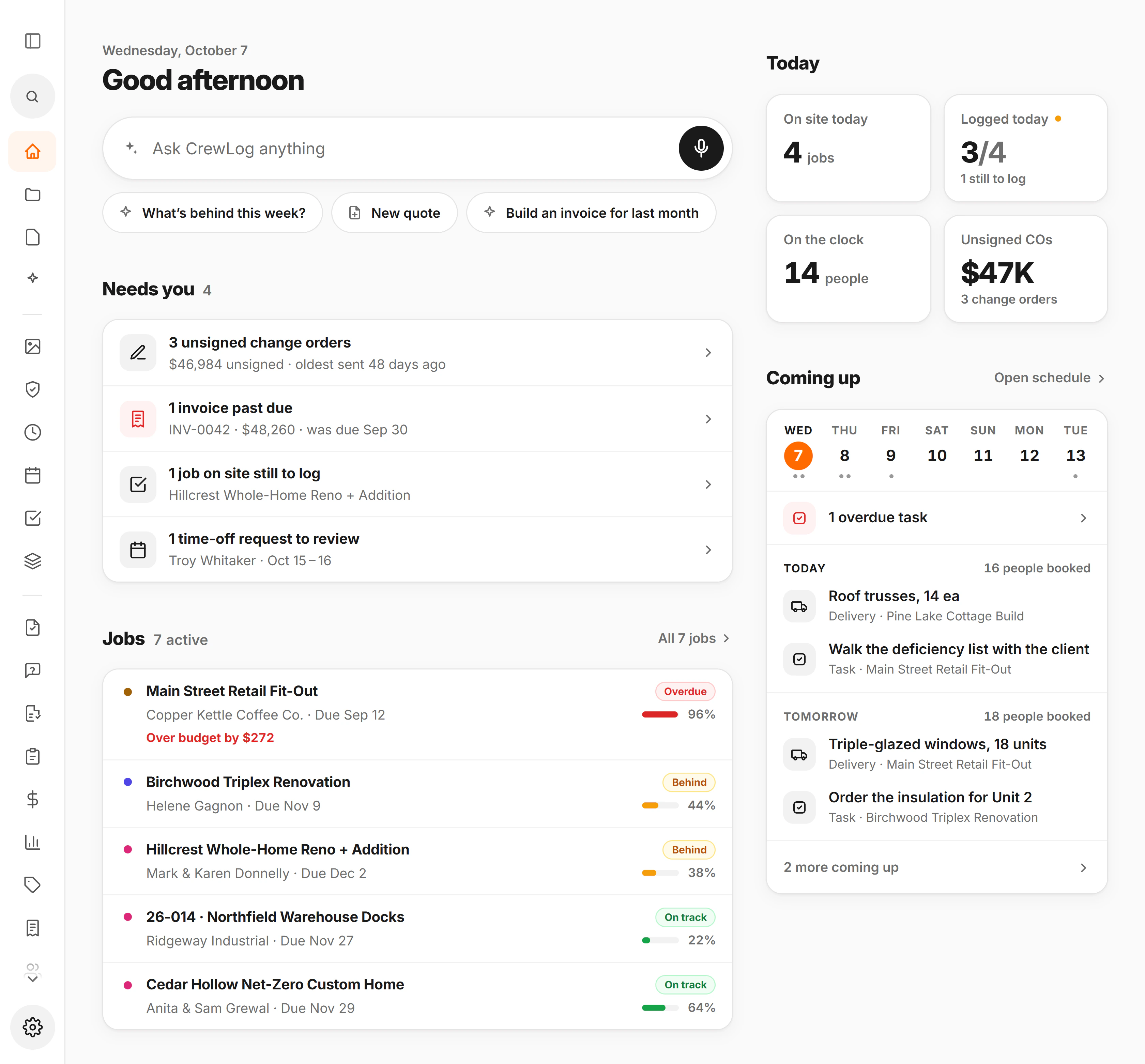

See where every job stands.
Over budget the day it happens.
Hours, receipts and change orders land on the job as they happen.

The job tells you first.
Late phases, safety flags and an unsent change order, before the client calls.

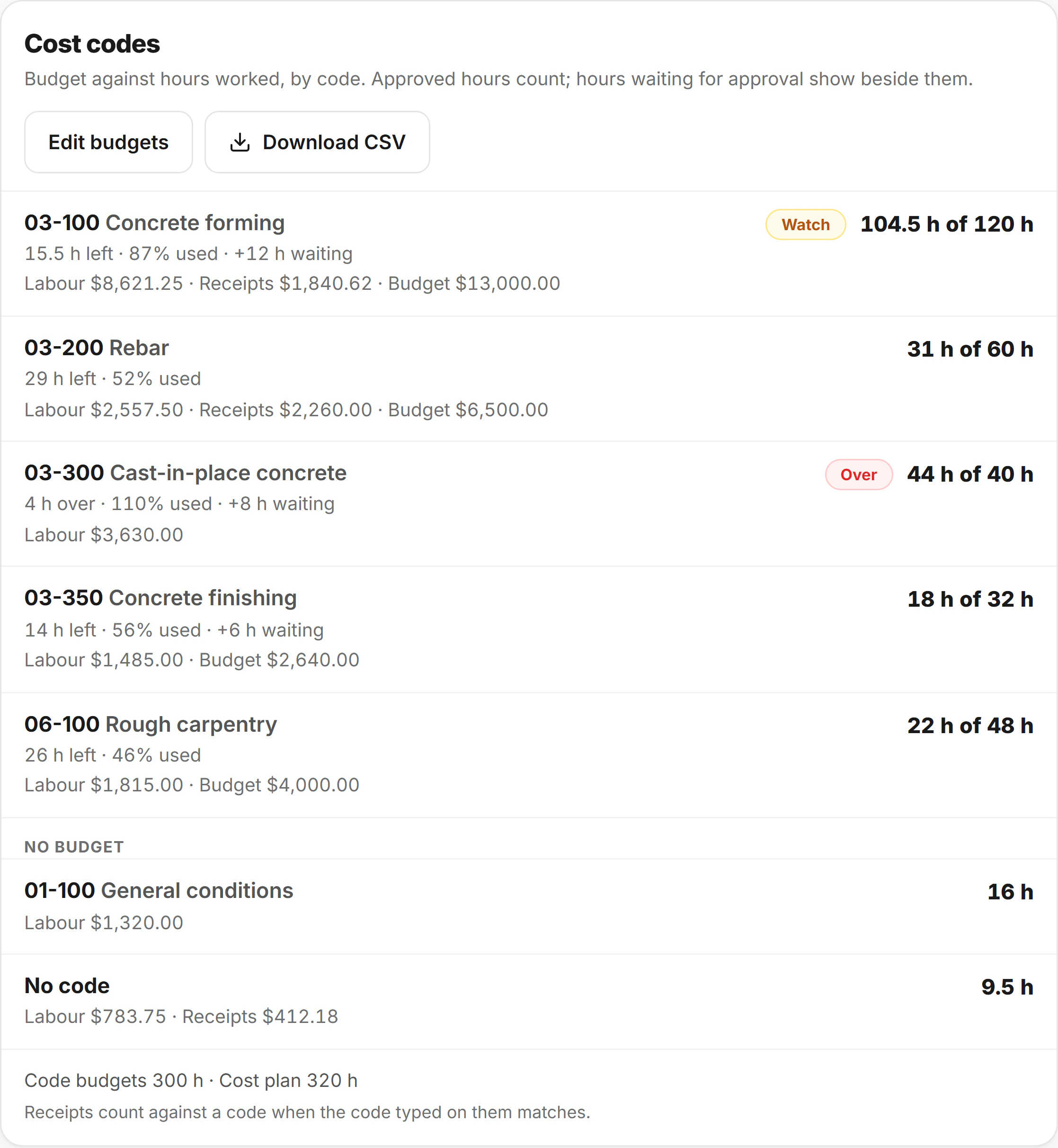
Know which code is over.
You see the one going over while there is still budget on the job to make it up, not on the last invoice when the money is gone.
Billed against the contract.
This invoice and what is left of $1.26M.

Your markup stays yours.
Your cost and markup on your copy. The client sees one price.

Spot a short week a month ahead.
People needed against the people you have, twelve weeks ahead, with the subcontractors on site beside them and a fix for each short week.
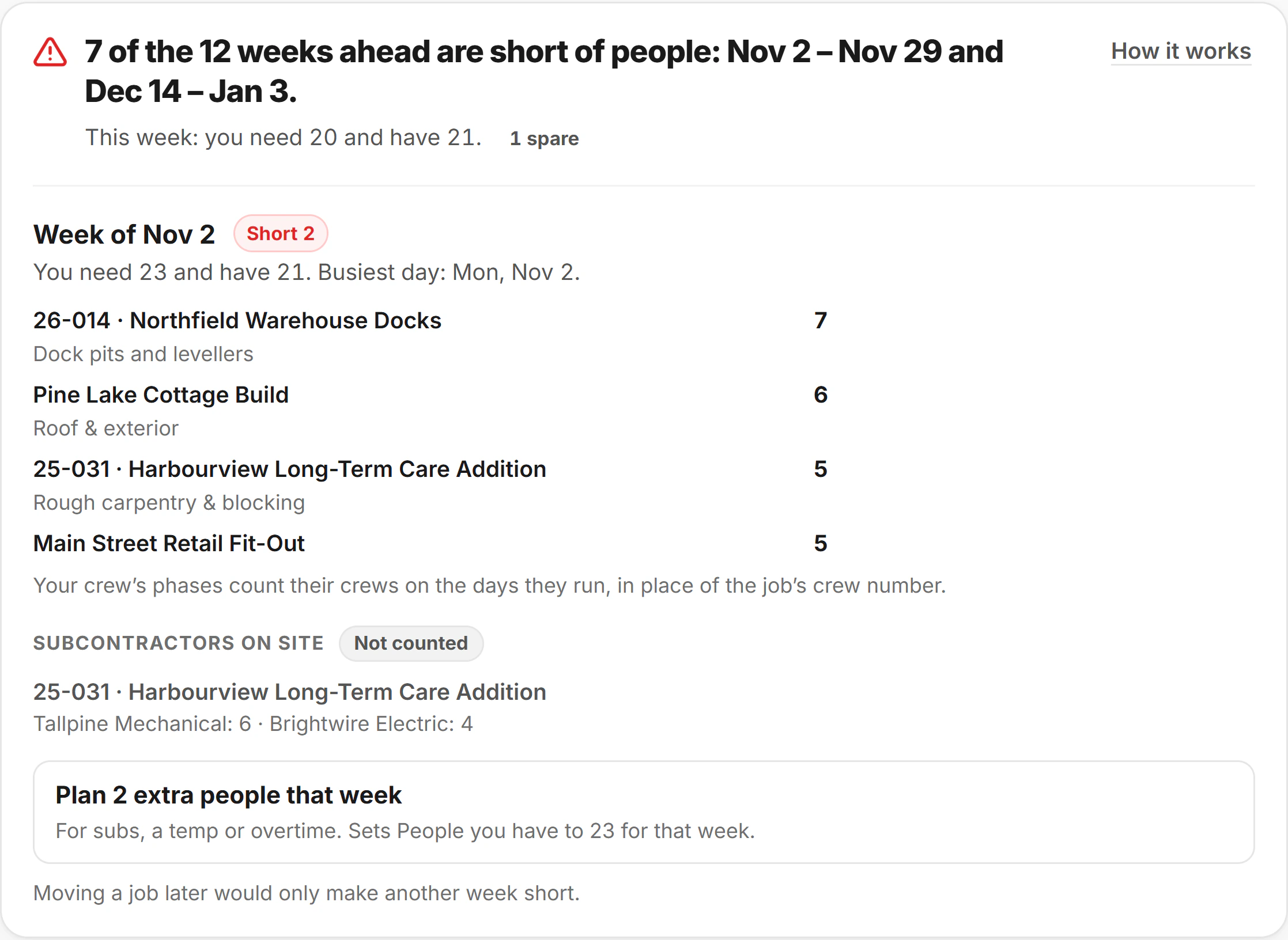
Job costing, change orders and the crew forecast are on Crew and Pro, and cost codes on Pro.
A day on one job.
As the office sees it on a Tuesday: five stops, from the first tap of the morning to Friday’s payroll file.
6:48AM
Billy · , Birchwood
Billy taps in at Birchwood, and the office sees him on site without a call.
10:30AM
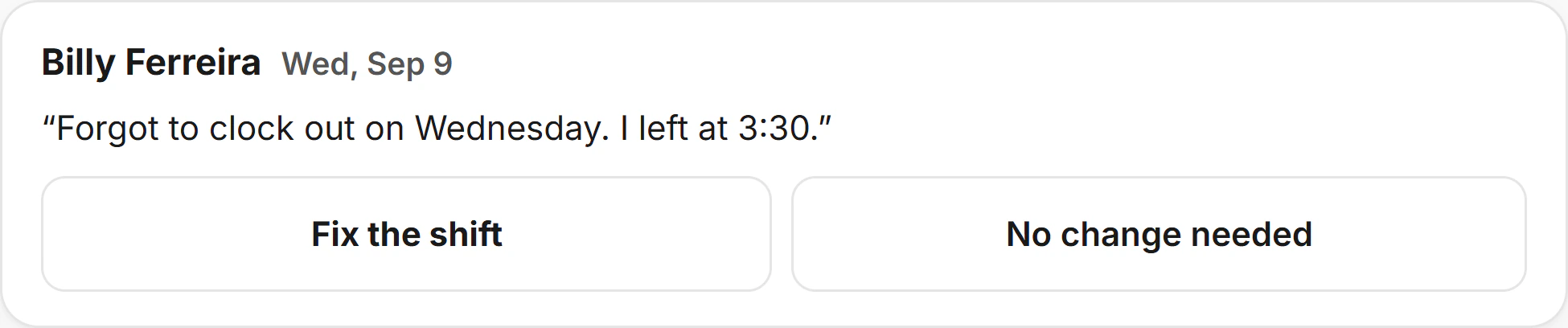
Billy · , Wed Sep 9
A missed punch from last week comes in with the time. The office fixes the shift from the note.
2:15PM
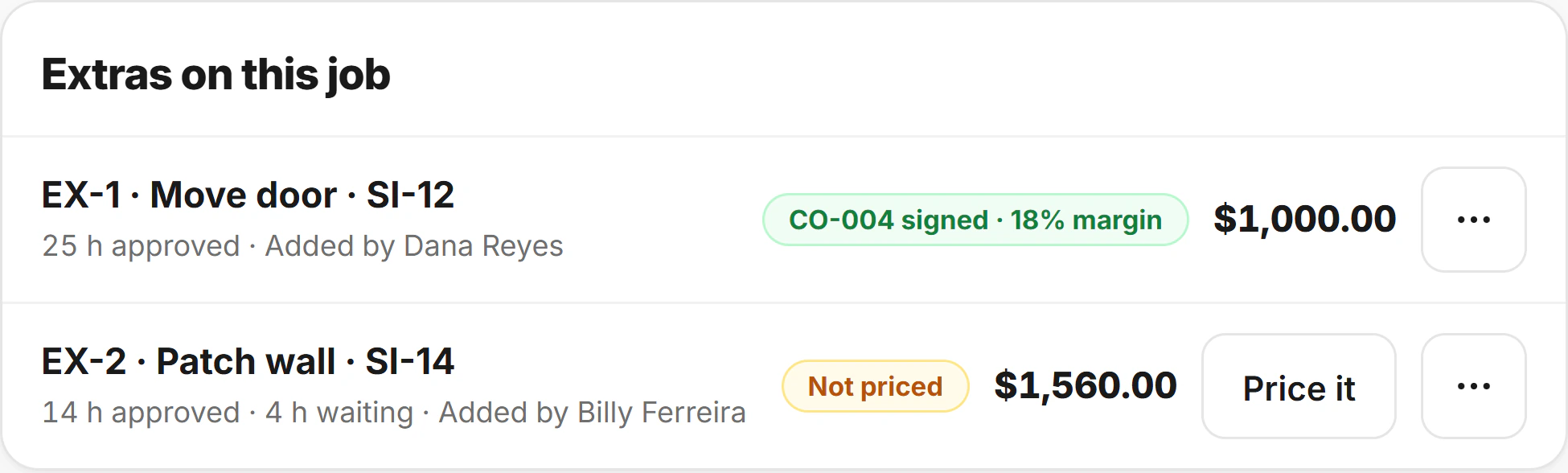
EX-2 · , Patch wall
Fourteen hours and $1,560.00 of cost on an extra nobody has priced yet, flagged before it is forgotten.
4:52PM
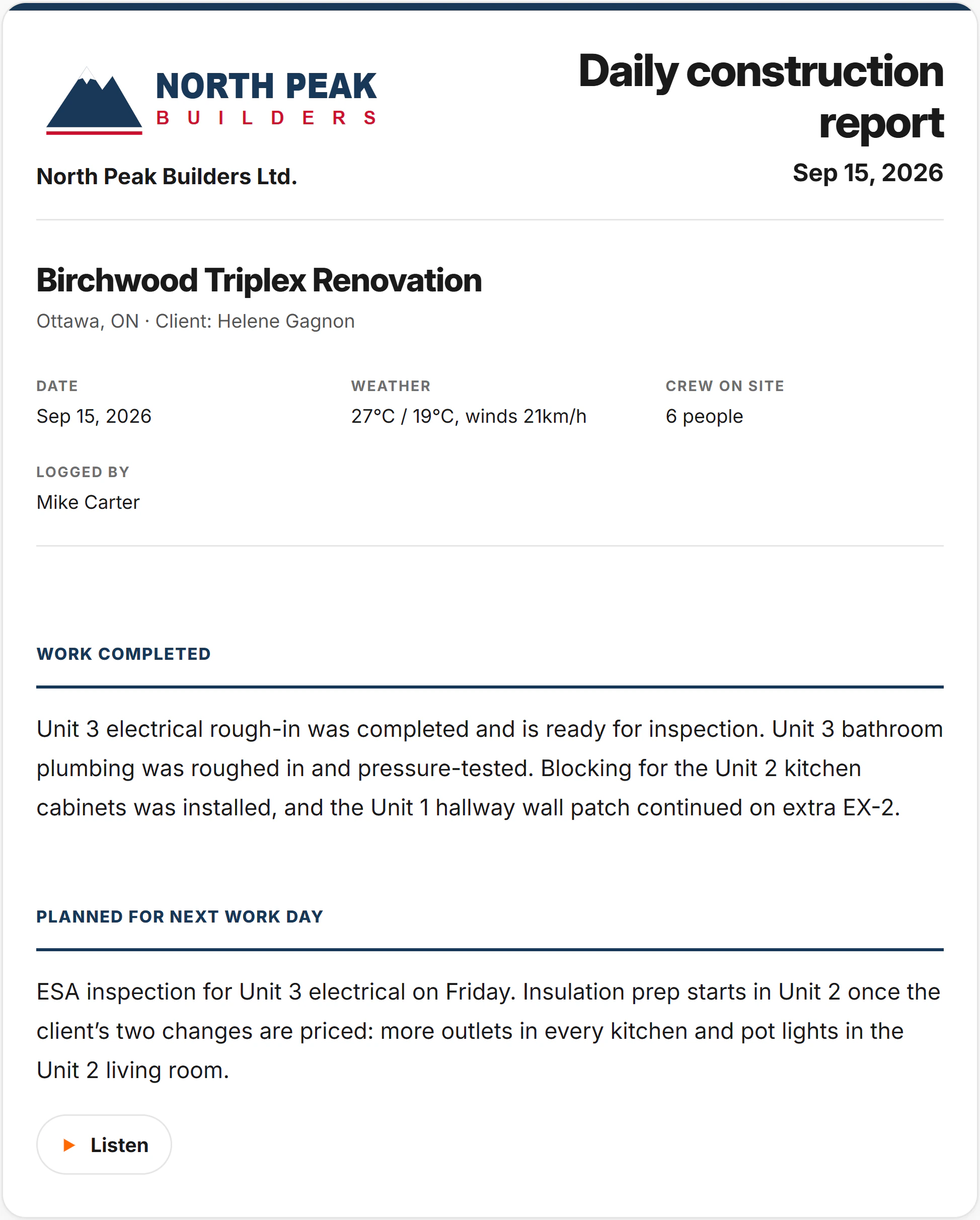
Mike · , Daily report
The day’s report, logged by Mike and ready for Helene, under your letterhead on Pro.
Friday
Payroll · , 5 of 5 in
The week’s five timesheets are in with Tuesday’s hours: 220 hours and $8,800.00, ready for the bookkeeper.
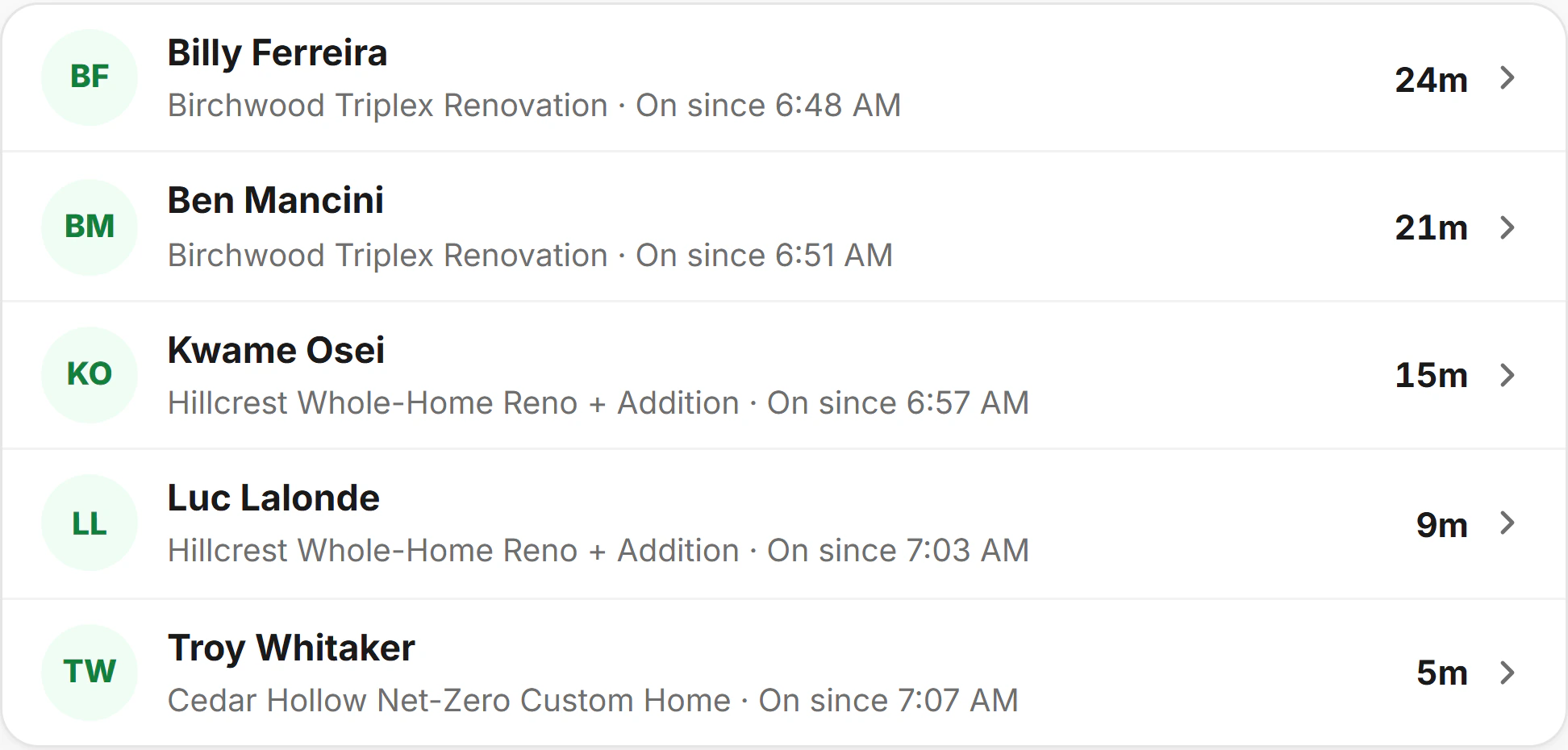






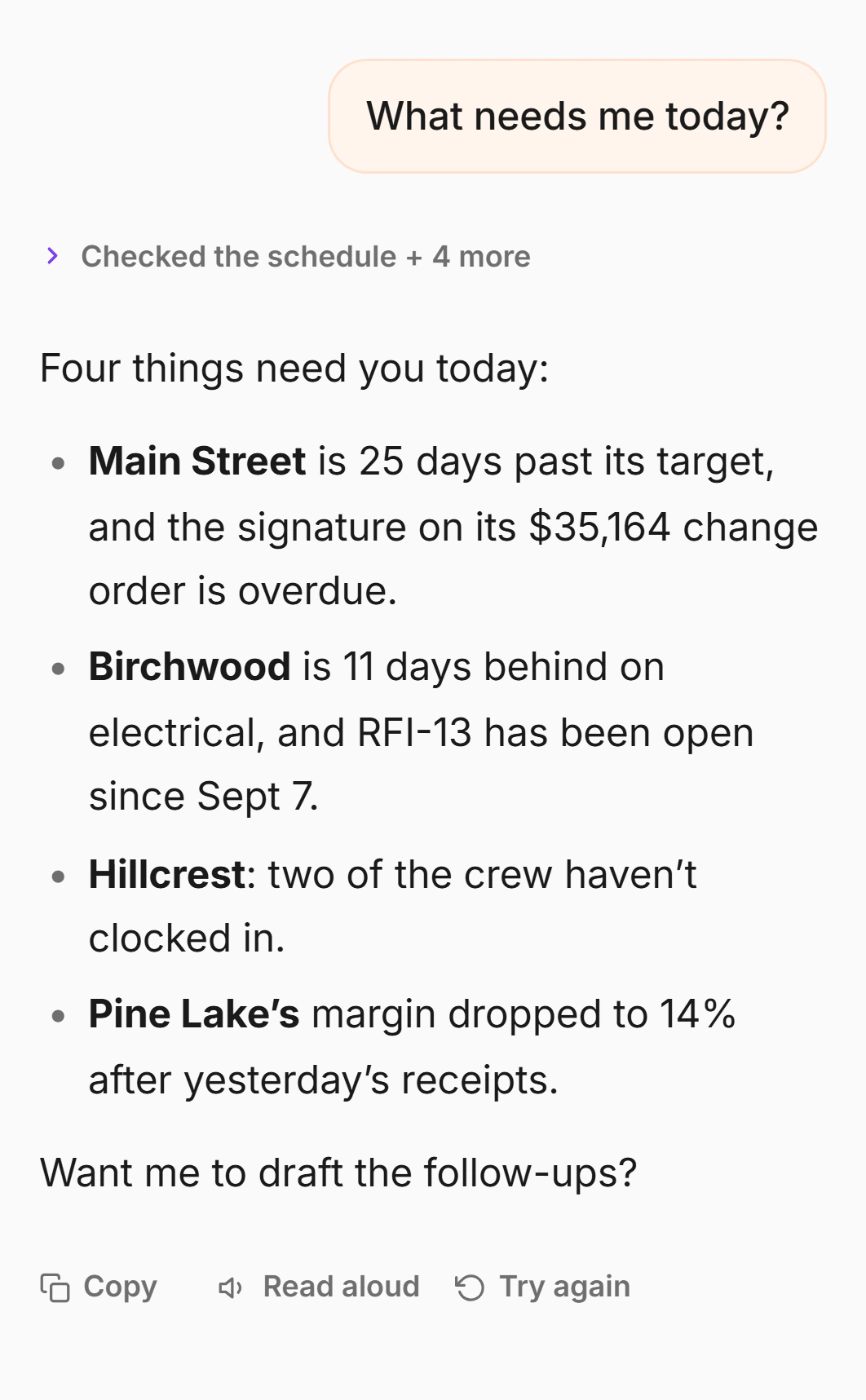
Then ask it what needs you.
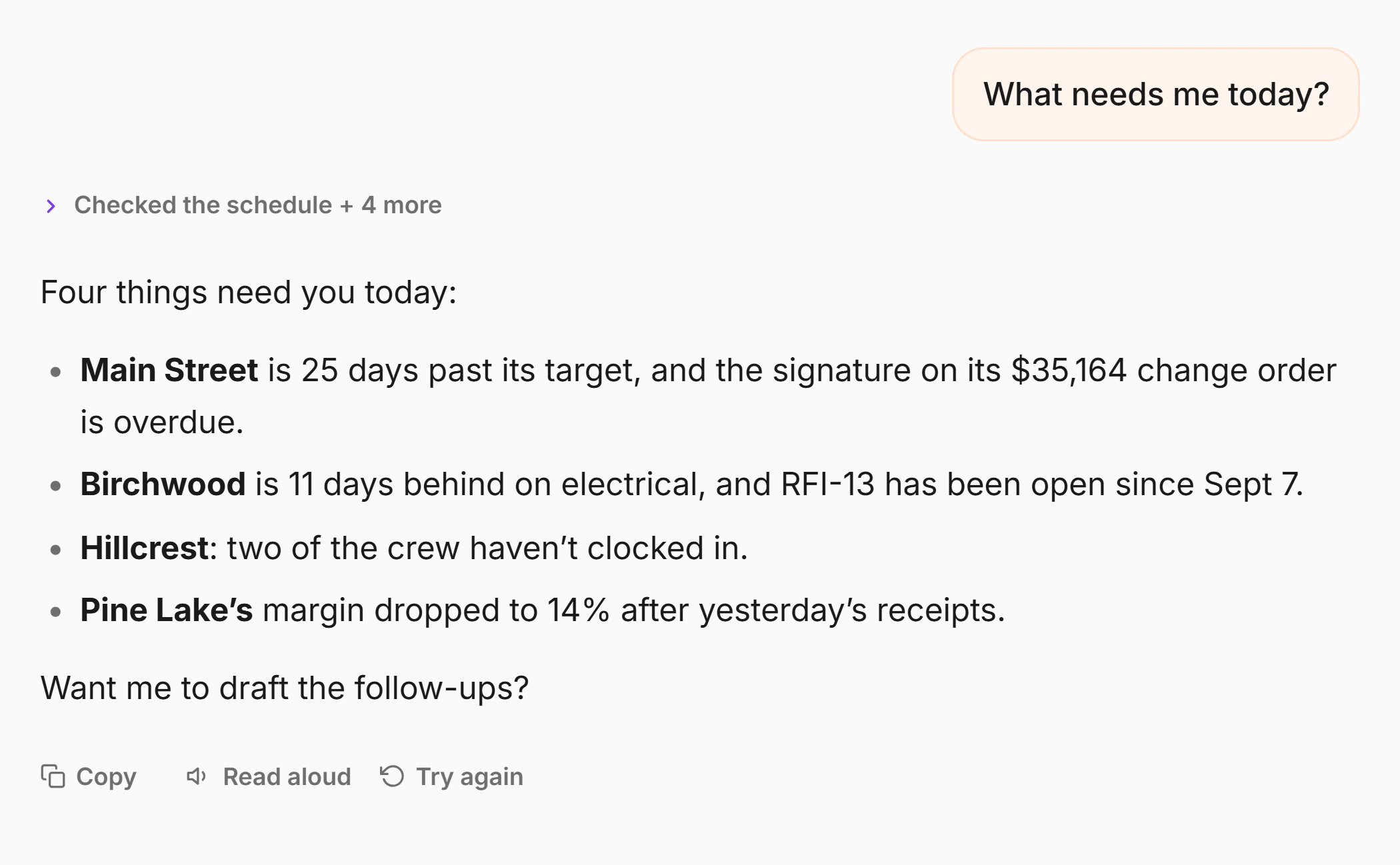
It has read your jobs, the hours, the costs and the schedule, and shows you what it read.
Answers about hours and costs need Crew or Pro; schedule answers need Pro.
See what it can doThe assistant · , Today
The assistant · , Today
Try it with nothing to sign.
7 days free on Pro, no contract and no sales call. Cancel from Settings, and your data leaves with you whenever you ask.
It stops where the job stops
It quotes the job, logs it, bills it and tells you what it cost. It won’t keep your books or be your whole office.
A person answers
Within business hours, Eastern time. No ticket queue, no script.
Your data is yours
Never sold. Any job leaves as one folder on every plan, PDF and CSV on Pro, and a full copy on request.
Questions
Anything else? Ask us at support@crewlog.ai.
Run your next job in CrewLog.
7 days free on Pro · No card to start · Nothing to cancel
Started your trial? Get the app and log in with the same account.