Skip to content
CREWLOG
FeaturesAIPricingFAQAboutContact
Log inStart free trial
Free trial
Book a demo
AI built for the trades

Your jobsite talks all day.
CrewLog writes it down.

Forty seconds of a foreman talking becomes a daily report that holds up in a dispute. A sentence becomes a priced change order. Nothing is saved, sent or signed until you read the card and tap Confirm.

Write your first report freeSee it answer a real question

7 days free on Pro, then the plan you pick · Card required, $0 today · Cancel anytime

What else it writes
  • Work Completed
  • Delays & Disruptions
  • Issues & Follow-Up
  • Materials & Deliveries
  • Site Conditions
  • Safety Observations
  • Crew & Manpower
  • Planned for Next Work Day

Eight sections are defined. It writes only the ones your notes support and leaves the rest out entirely — no “none reported”, no empty headings. Forty seconds of talking earned four.

Flagged on this report
2 hrs lost: late ready-mixWindow opening 2in off planDraft CO →

CrewLog queued 1 follow-up from your notes

Get direction on the north elevation window opening before framing continues

View tasks →

The flags and the follow-up are a second read of the same forty seconds, looking only for what a dispute would need and what somebody still has to do. The change-order flag is a link: it opens a new change order with what it found already in it.

Voice noteDave R. · 0:41 · from the truck

“Poured the garage slab this morning, about eighteen yards, done by eleven. Framers kept going on the second floor walls, east side. Ready-mix was meant to be here at eight and didn’t show till twenty to eleven, so the placing crew sat around a couple hours. That window opening on the north wall is a good two inches off the plan, someone needs to look at it. Started raining about three so we tarped the deck.”

CrewLog AI · about 10 seconds
North Peak BuildersDaily Construction ReportJul 21, 2026

Cedar Ridge Custom Home

87 Cedarbrook Ave, Mapleton, ON

Client: Tom BradleyWeather: 21°C, rain from 15:00Crew: 6

Work Completed

Garage slab placed and finished, approximately 18 cubic yards, complete by 11:00. Second-floor exterior wall framing continued at the east elevation.

Delays & Disruptions

Ready-mix delivery scheduled for 08:00 arrived at 10:40. Slab-on-grade placement delayed accordingly; placing crew idled approximately 2 hours during the wait.

Issues & Follow-Up

North elevation window opening measured approximately 2 in. off the dimension shown on plan. Photographed; direction awaited before framing proceeds at that opening.

Site Conditions

Recorded site weather: 21°C, with precipitation from approximately 15:00. Precipitation began on site at approximately 15:00. The exposed second-floor deck was tarped and loose materials were secured before the crew left. Conditions are stated as recorded; any production impact is accounted for once, in Delays & Disruptions.

Every line in that report traces to something the foreman actually said. The weather is the exception, and it is not a guess either: it is recorded from a weather service and handed over as fact.

One project, one AI

It doesn’t answer from a prompt. It answers from the job.

There is no separate AI for reports and another for change orders. One assistant reads the whole record of a job — the logs, the schedule, the RFIs, the change orders, the hours — and answers across all of it in a single turn, naming every place it looked.

One job in CrewLog: Summit Ridge Retail Plaza, showing three reports, seven photos, the documented date range, twenty-seven crew-days of labour, a delay, two delivery issues, a change order and a safety flag, a job health score of 81 estimated two days behind, and tabs for reports, photos, drawings, documents, contacts, materials, change orders and tasks
This is the recordReports, photos, labour, flags, dates — one job81, and two days behindArithmetic. The app computes it; the AI reads it out
  • This is the recordReports, photos, labour, flags, dates — one job
  • 81, and two days behindArithmetic. The app computes it; the AI reads it out
One job on the seeded demo account. Everything the assistant answers from is on this screen or one tab off it.

Why is Summit Ridge two days behind?

  1. Read the daily logs
  2. Checked the schedule
  3. Checked deliveries
  4. Read the change orders
  5. Added up crew hours

Two days, and the delivery record has both of them.

  • One day is the delay flagged in your logs on Aug 18.
  • The other is the two delivery issues behind it: the glazing load arrived short, and the replacement came a day late.
  • Crew hours are steady — 27 crew-days across the 18 days on record — so this is not a manpower problem.
  • The open change order is the thing to watch. Nothing on it moves until it is signed.

The two days are not the model’s arithmetic. The slip is the forecast engine over your own phases and dates, and the 81 beside it is a score computed from that plus your flags, change orders and open work. The assistant reads them out and says where the two days went. Five lookups, named while they ran.

It reads across the job, but only your part of it. Every lookup is scoped to what you personally can see, not to what the account holds: a member gets the tasks assigned to them and their own hours, on any question, however it is phrased.

No modes

One box. It works out the rest.

There is no mode to pick, and there never was one. You type or you tap the mic, and it decides, silently, whether the answer needs knowledge, a look at your own data, several lookups chained together, or a change drafted for your approval. Then it shows you what it checked.

Ask CrewLog
No mode to pick

It works out what the answer needs

Knowledge

Methods, sequencing, estimating, inspections, safety or code: answered for your jurisdiction.

Answers in the turn

A look at your account

One read tool, scoped to what you personally can see, not to what your account holds.

Answers in the turn

Several lookups, chained

Four reads behind one answer, named back to you and listed in full when you open the line.

Answers in the turn

A change to your account

A write tool. It returns a proposal and stops: it has no way to reach a table.

Stops at a card

Construction Assistant

“What are you working on?”

“Methods, sequencing, estimating, inspections, safety, or code: every answer tailored to Ontario, Canada.”

That is the whole welcome screen: a name, a question, and where you work. No starter prompts, deliberately — they put words in your mouth and make the software look like it is guessing at what you want.

Say it. See it. Then decide.

Five things people actually ask it

Pick one. Every panel is the real interface, drawn to the real spec: the same bubble, the same violet receipt, the same card. The job names and figures are illustrative; the structure and the wording are what ships.

The Construction Assistant in CrewLog answering the question: which RFIs are still waiting on an answer, naming three jobs and what each one is waiting on
A read answers in the turnNo card, because nothing would be writtenOne box, no mode to pickTyped, spoken, or a photo of the sheet
  • A read answers in the turnNo card, because nothing would be written
  • One box, no mode to pickTyped, spoken, or a photo of the sheet
The Construction Assistant on the seeded demo account. The five below are drawn to this screen — a confirm card lives only in the seconds between a draft and your tap, which is the one part of it no screenshot holds still.

One of these answers inside the turn. The other four stop at a card and wait. That is the whole difference between a read tool and a write tool, and it is not a setting.

After you tap

Confirm
The label becomes “Working…” and a separate authenticated request runs. The card then reports what happened, in your language.
Not now
“Dismissed. Nothing was changed.” Not tapping is a complete answer, and until you do, the card says so: “Nothing has changed yet.”

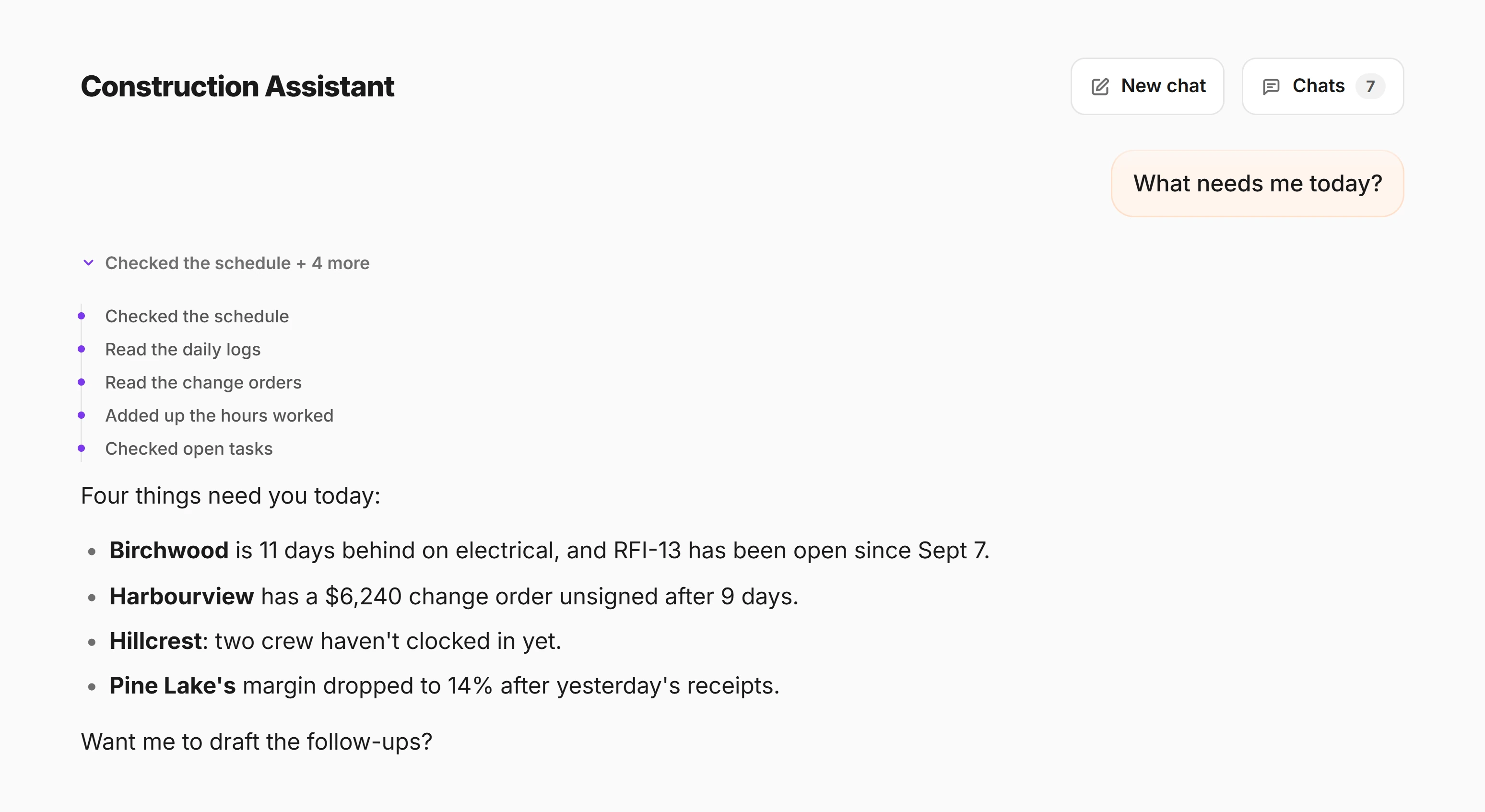
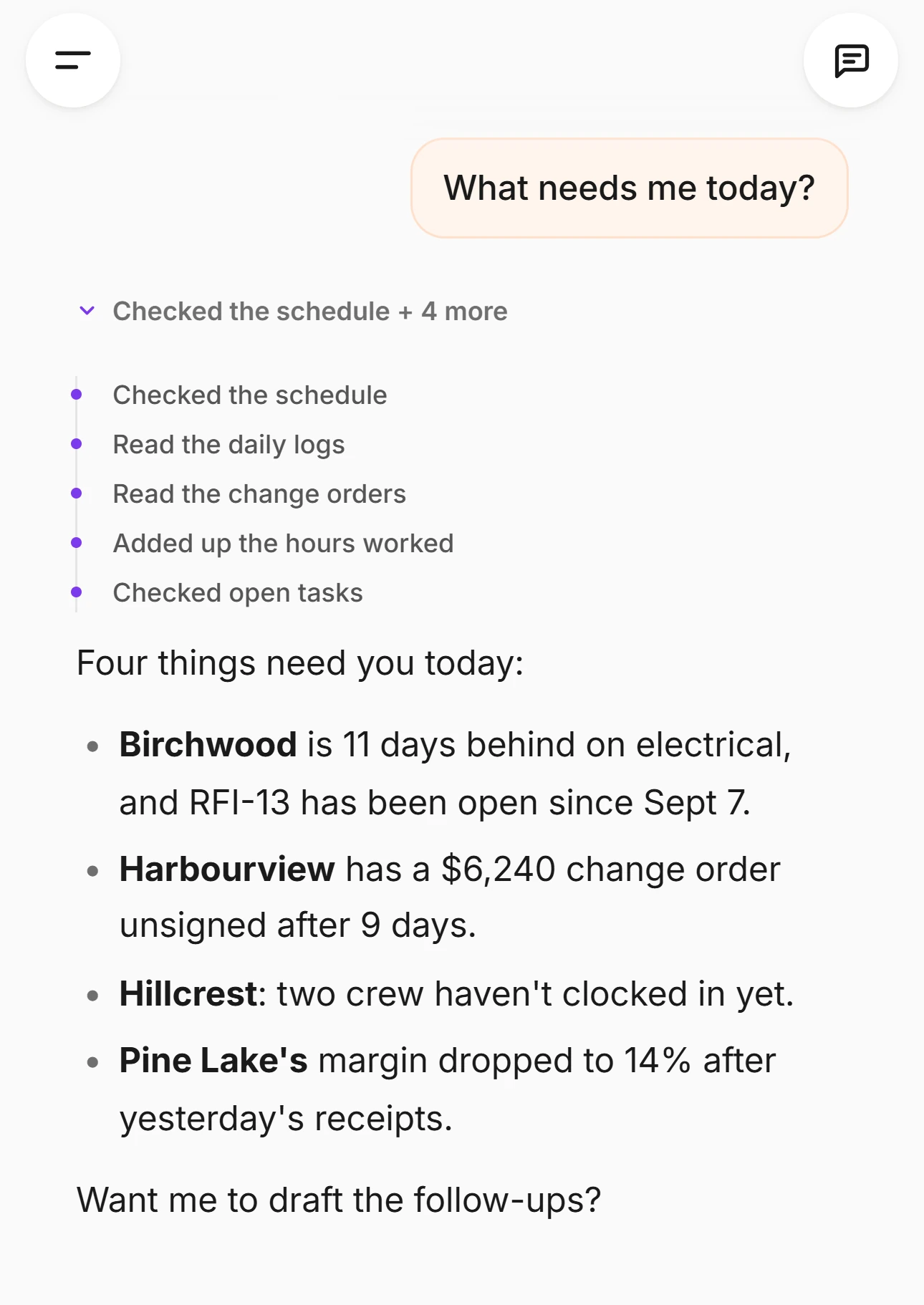
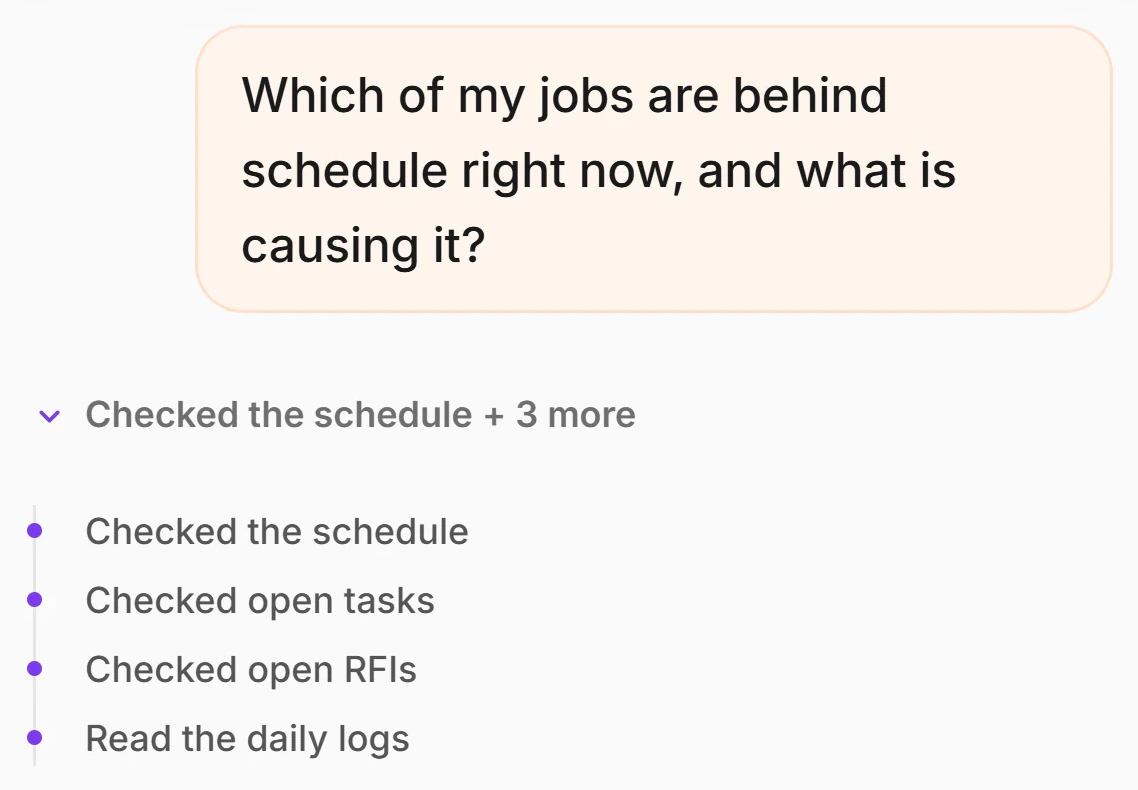
What’s behind schedule on my jobs right now?

Read your jobs + 3 more

  1. Read your jobs
  2. Checked the schedule
  3. Checked open tasks
  4. Read the recent reports

🚨 Immediate Actions

  • •Riverbend Medical: mechanical rough-in is at 40% and should be at 65%. It is on the critical path, so every day it slips, the job slips.
  • •Maple Ridge: no daily log in 6 days. You have a coverage gap, which means the schedule read on this job is unverified.

⚠️ Risks

  • •3 tasks are past due across the two jobs: 2 of them are yours.
  • •Drywall waits 4 days on Framing at Riverbend: 6 workers with nothing to do.

✅ The Call

Riverbend is the one to move on today. Get a log in on Maple Ridge before you judge it: six days of silence is not the same as six days of trouble.

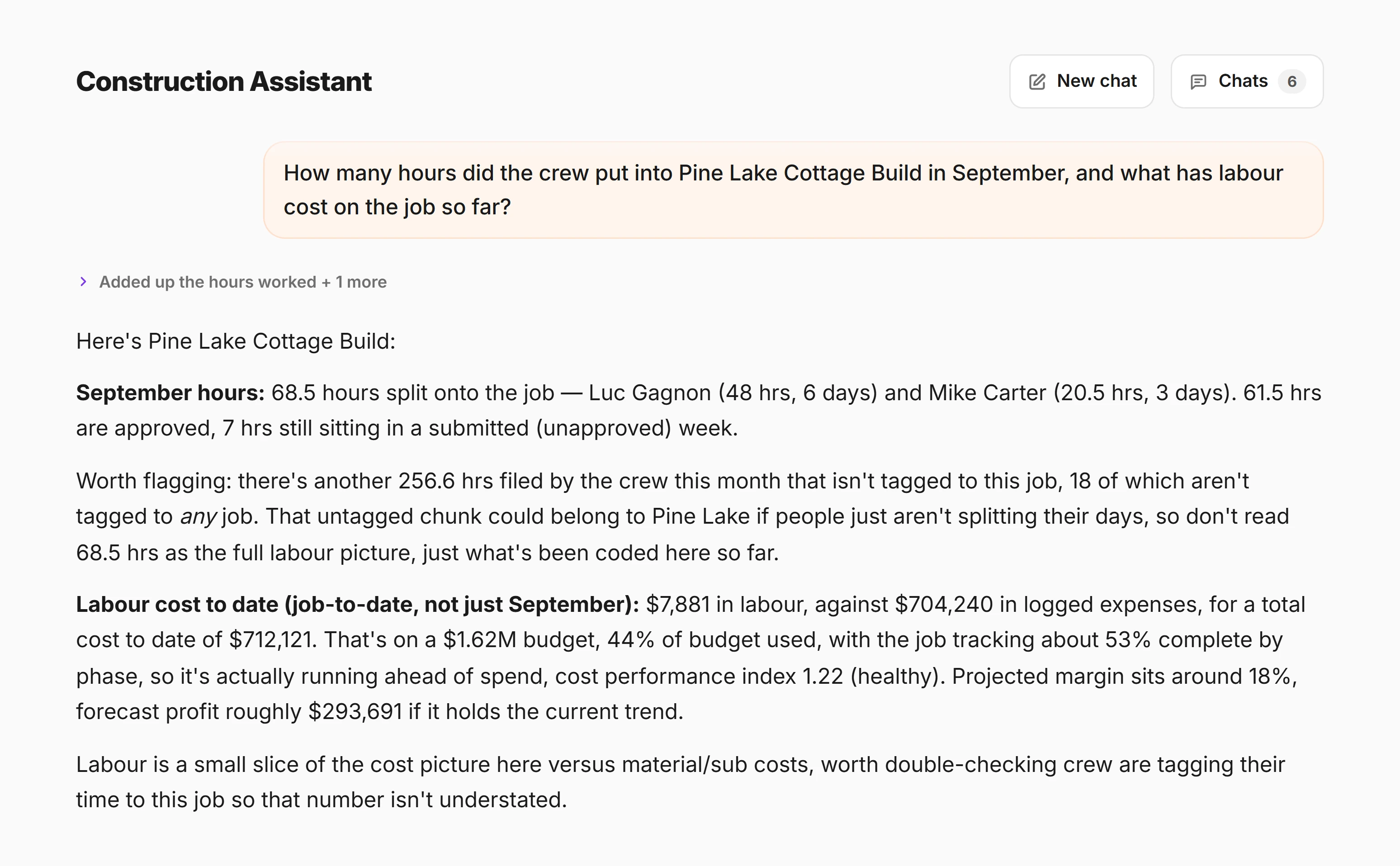
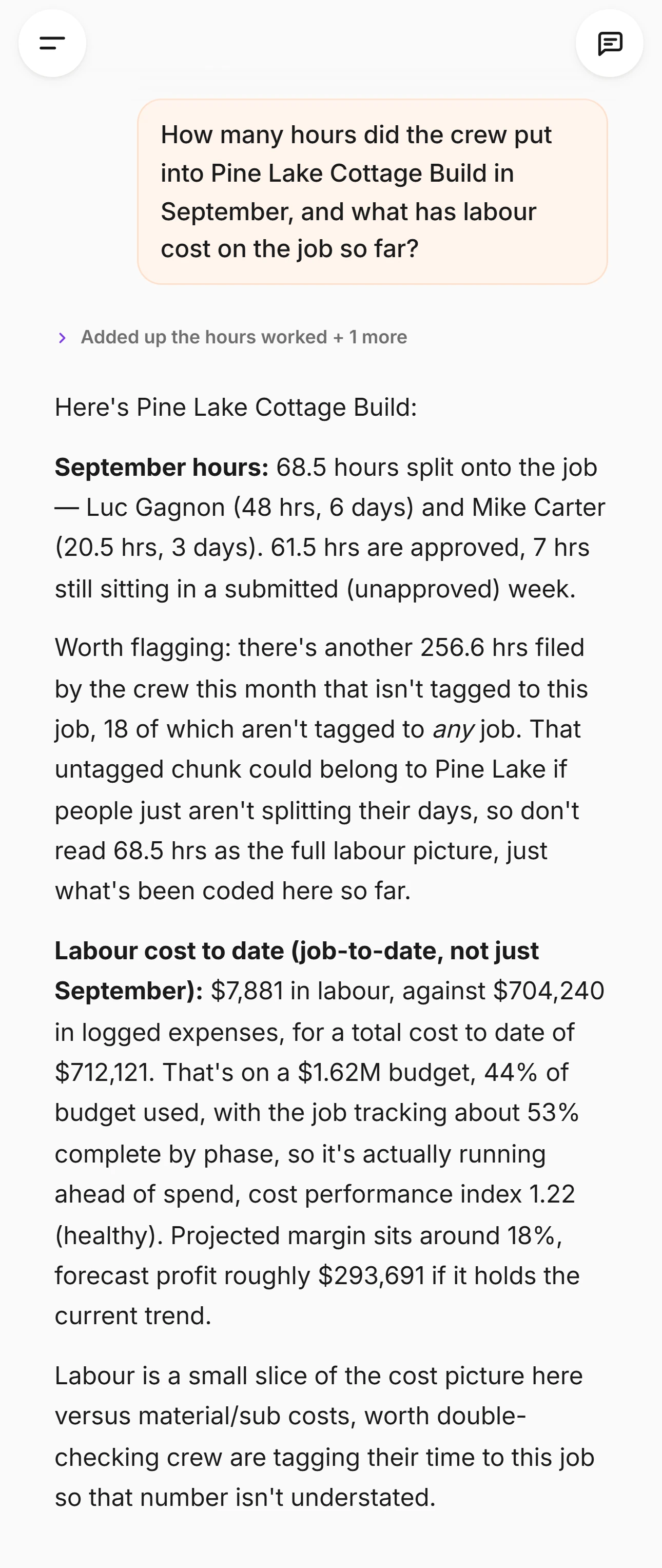
No card, because nothing was written: reads run immediately, inside the answer. Every fact in it came from a tool call scoped to what you personally can see: a member gets only the tasks assigned to them and only their own hours, on any question, however it is phrased. And “past due” is worked out in your timezone, so a foreman in Vancouver at six in the evening is not told a task is overdue when it isn’t.

Drawings, specs and photos

Send it the sheet and ask.

Attach a PDF and it reads the sheet and the text on it — the sheet number, the detail callout, the note in the corner, the dimension you are arguing about — across every page of the set, not just the first. Ask your question in the same message.

  • A drawing is not a photograph of a drawing

    Sent to the model as a picture, a PDF loses its text layer and every page after the first. CrewLog sends it as a document instead, so the words on the sheet stay words and page six is still page six.

  • It quotes the sheet, it does not summarise it

    The instruction it runs under is to read the sheet before answering and to quote what it actually says. If the answer is on a sheet it was not given, it is told to name the sheet it needs rather than fill the gap.

  • The file is never stored

    The attachment rides on that one message, goes to the model for that turn, and is not saved to your account. Only the text of the conversation is kept.

Where the edges are

Exactly what it takes

  • One file per message

    A photo or a PDF, not both and not a folder. Ask about the next sheet in the next message.

  • PDFs up to about 3 MB

    Past that, only the first page goes up, and it goes as a picture. A whole set is usually over the line: send the sheet you are asking about.

  • Photos, screenshots and PDFs

    JPEG, PNG, WebP, GIF and PDF. Not CAD, not a spreadsheet, not a Word document, not a link.

  • You choose the sheet

    It cannot reach into your drawings library and go looking. Nothing in your account hands it a file.

It can write anything.
It can save nothing.

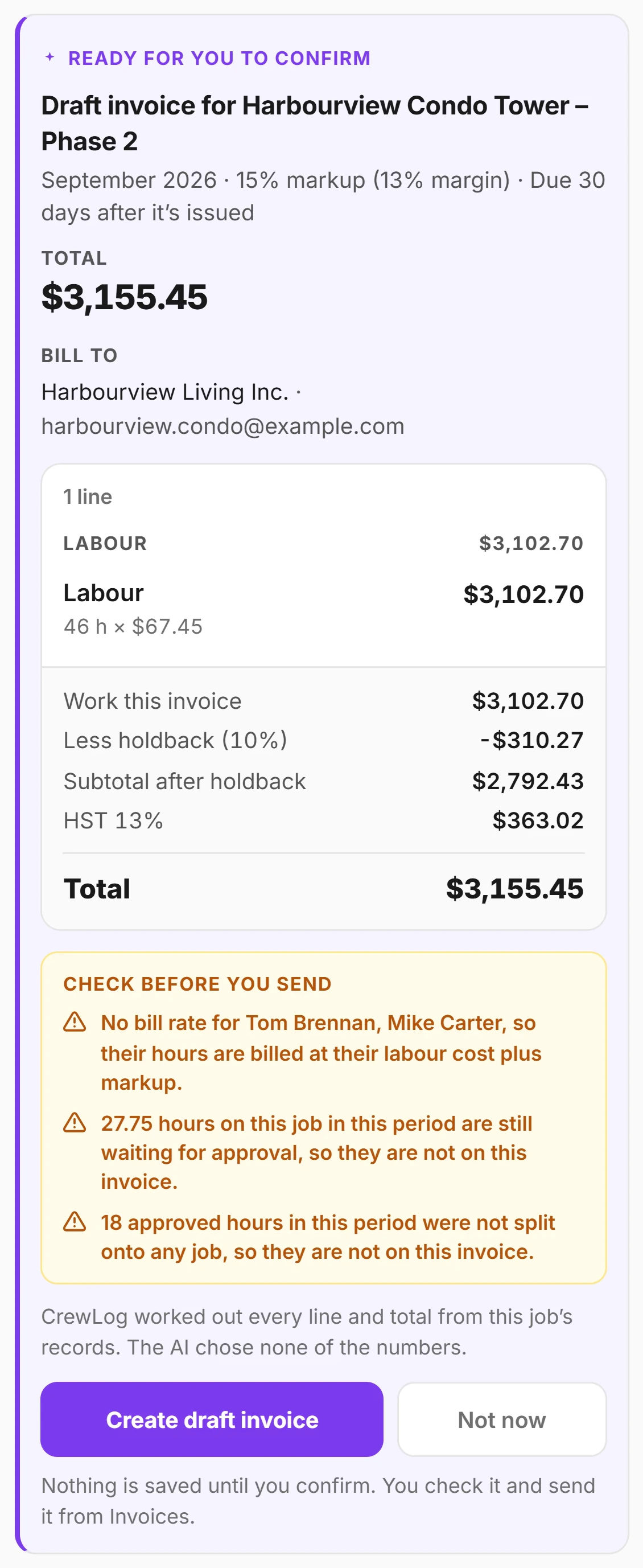
Eight of its twenty-two tools draft real work — a change order, an RFI, a task, a report, a client email. Not one of them can save, send or sign a single field until you have read the card and tapped Confirm.

Why the card is the product

A write tool doesn’t write

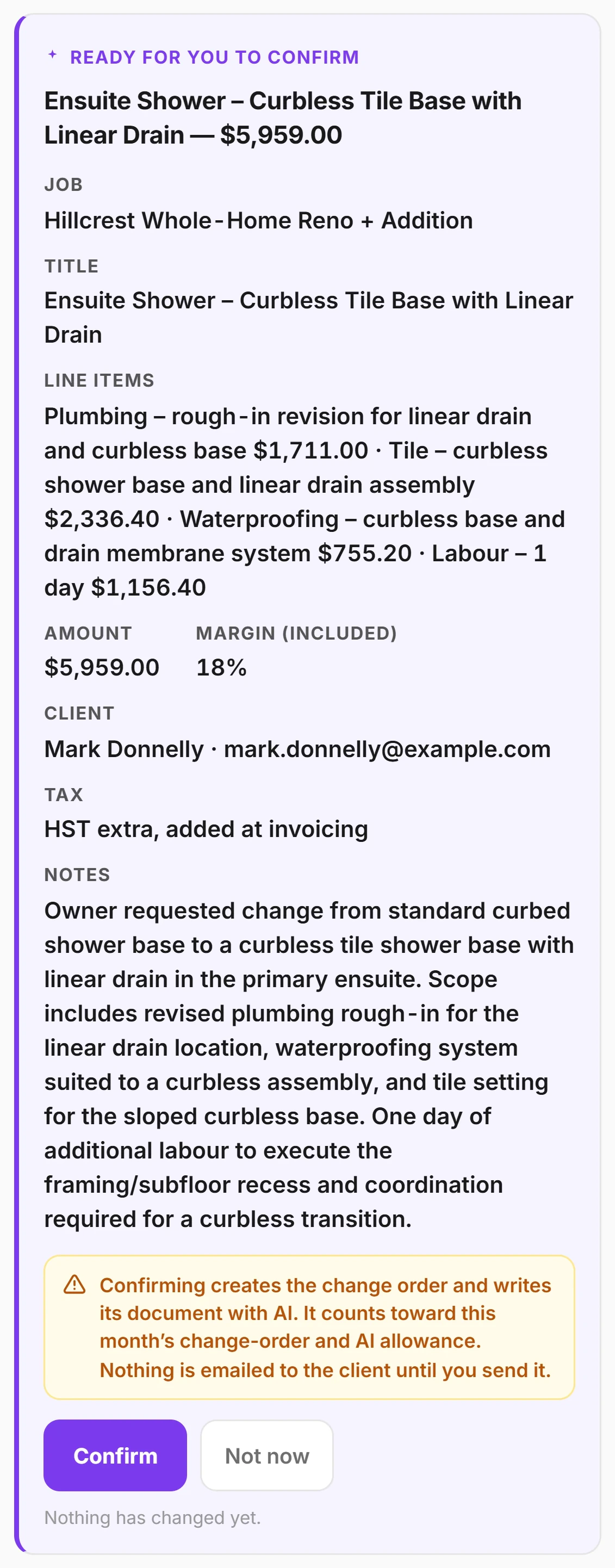
It returns a proposal (a typed, validated description of the change) and the app draws it as a card. Only your tap runs it, as a separate authenticated request. The model can draft the work; only you can commit it.

  1. 01

    The tool returns a proposal

    A typed, validated description of the change. Nothing is inserted, updated or emailed by the tool call itself: it has no path to a table.

  2. 02

    The app draws it as a card

    With resolved values, not the model’s words: the job it matched, the person it matched, the date, the exact dollar total that would be saved.

  3. 03

    You read the warnings

    “A report already exists for this job on this date. Confirming adds a second one.” “Confirming emails this to your client straight away. It can’t be unsent.” They sit above the button, so they are read before the tap and not after it.

  4. 04

    You tap Confirm

    A separate authenticated request. Not tapping is a complete answer: “Dismissed. Nothing was changed.”

  5. 05

    The server re-runs every check

    Your plan, your role, your feature switches, the trial lock, your access to that job, and whether that person is still an active member. A hand-crafted request is exactly as constrained as the AI is.

  • A name that doesn’t resolve is an error, not a guess

    No team member matching who you named? It stops and asks who you mean rather than picking the closest.

  • The total is rebuilt server-side

    The model writes its own total into the document. That line is stripped out before anything is rendered, and the figure your client sees is the one CrewLog stored from your line items.

  • Drafted attendee names are a list, never signatures

    A signature is a person attesting they were on site. Your crew still signs the talk themselves.

  • The owner-update tool has no recipient parameter

    The address comes off the job record, so nothing written inside your account can redirect an email out of it.

The finished document

What your client actually signs

Confirming example 03 above creates a draft. When you send it, this is what lands in your client’s inbox — your letterhead, your margin, and a total the server rebuilt from your own stored line items rather than the one the model wrote.

North Peak BuildersChange order

CO-004

Job

Maple Ridge

To

Dana Whitfield

From

North Peak Builders

Spare bedroom closet: framing, drywall, door, paint

Add a closet to the spare bedroom on the second floor: frame the opening, board and finish, hang a door with hardware, and paint to match the room.

Framing$552.00
Drywall$402.50
Door and hardware$701.50
Paint$276.00
Labour, 1 day$1,380.00

HST extra, added at invoicing

Total for this change order$3,312.00

Contractor

North Peak Builders

Approve & sign

By signing, you approve this change order for $3,312.00 and authorize North Peak Builders to proceed with the work described above.

Your full name

e.g. Jordan Smith

Your signature

DrawType
Approve & signClear

Your name, signature, and the date are recorded with this change order.

Powered by CREWLOG · crewlog.ai

The same change order, three surfaces on: said at a truck, read on a card, signed by the client. Your cost never appears — only the price with your margin already in it.

The boundary

The limits, stated plainly

Nine of them, and not one is a hedge. A page that will not say what its AI cannot do is asking to be taken on trust by the one trade that never gives it.

  • It cannot write anything without your tap. Not one field, on any table.
  • It cannot send a change order. Confirming creates the draft. Sending it to your client is still your move, on your screen.
  • It cannot choose who gets an owner update. That address lives on the job record.
  • It cannot record a signature, ever. Attendee names on a drafted toolbox talk go on as an attendance list: a signature is a person attesting they were on site, and your crew still signs the talk themselves.
  • It cannot open CAD files, spreadsheets, Word documents or links. Photos, screenshots and PDFs, one file per message.
  • It cannot go and find a drawing in your library. Nothing in your account hands it a sheet — you attach the one you want read.
  • It is built to look facts up, not guess them: jobs, people, dates, counts and amounts come from a lookup of your account, not from the model. It is still AI, so check anything you are about to act on.
  • It does not approve anything. The AHJ, the adopted code edition and the engineer of record have the final say, and it will tell you so.
  • Viewers do not get it at all, and neither does anyone you have switched it off for.
Ask CrewLog
Ontario, CanadaGuidance only. Always confirm code with your local authority (AHJ) and a licensed professional. Prices are rough estimates.

The composer, with the disclaimer built into it. The jurisdiction is a control, not a caption: tap where you work to change it.

Calculated, not guessed

The numbers are not generated

Job health, the safety score, the projected finish date, the critical path, the payroll: all of it is calculated by the app, deterministically, in code you could step through. The AI reads the result out. That is why an insight is instant when you drag a phase, why it costs you nothing to be told framing is late, and why you get the same answer twice.

The Job Forecast command card in CrewLog: a projected finish of Oct 5 2026 against a planned finish of Oct 4, an on-pace badge, a score of 96 out of 100, peak crew 17 with seven days over capacity, a 64-day duration and $209,042 of labour cost, above a What CrewLog noticed panel listing two crew clashes and one on-pace finding, and a two-week crew loading grid
No model produced theseProjected finish, duration and peak crew are arithmetic on your own phasesThe AI only writes the sentenceIt restates the finding — it is forbidden to compute a new date or day-count
  • No model produced theseProjected finish, duration and peak crew are arithmetic on your own phases
  • The AI only writes the sentenceIt restates the finding — it is forbidden to compute a new date or day-count
The Job Forecast on the seeded demo account. Its own subtitle says where the findings come from: “Read from your own phases and dates.”

What the app computes

The critical path, the projected finish, the slip in working days, the crew needed each day, the health score and the badge on it. Plain TypeScript over your own records with no model in the path — which is what makes it instant, free, and the same answer every time you ask.

What the model writes

The paragraph. It is handed the finished figures and told, in as many words, to use only the numbers, dates and names it was given, never to compute a new one, and never to contradict the engine. It cannot invent a delay, because it is not the thing that found one.

The job health panel in CrewLog: a Pulse score of 81 with an at-risk badge, a schedule outlook estimating two days behind at medium confidence, an AI owner update button, and six plain-English factors including one safety event flagged in logs and two open tasks remaining
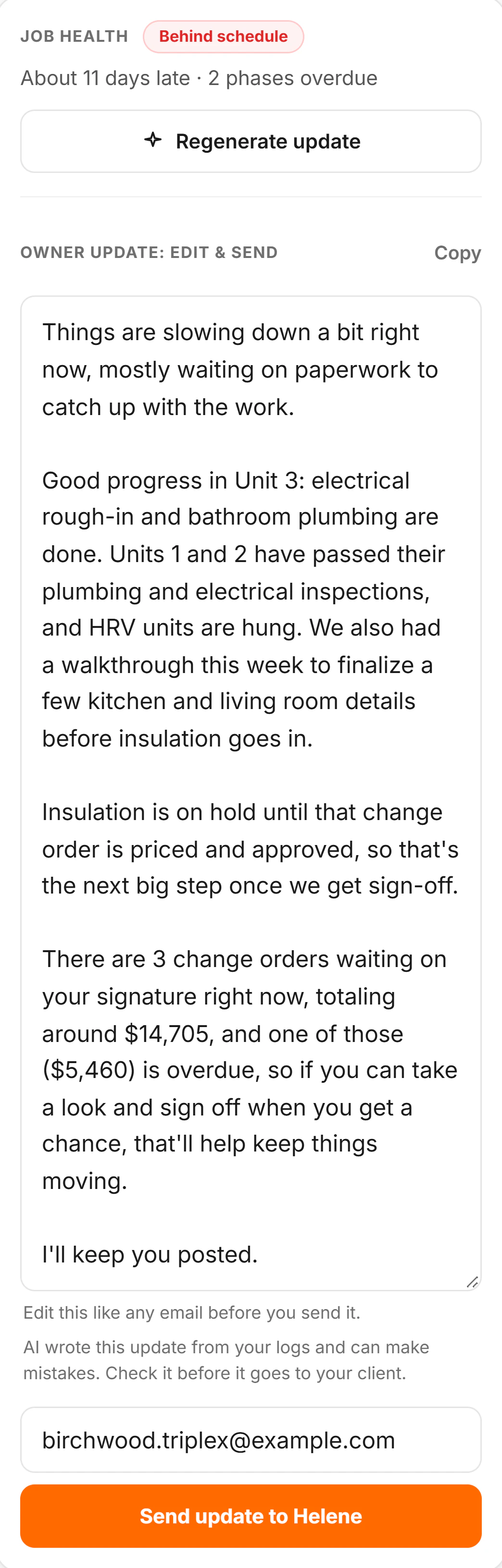
One button, and it is the only AI hereThe 81, the badge and every chip were computed before it was pressed
  • One button, and it is the only AI hereThe 81, the badge and every chip were computed before it was pressed
Job health on the same account. The score, the two-days-behind outlook and all six factors are arithmetic; the orange button drafts an email about them.
Your allowance, and your data

What it costs, and who sees it

What it costs

  • The Assistant is on every plan, Solo included.

    The plan changes which tools it can reach, not the box it comes in.

  • One monthly allowance for the whole account.

    Shown as a percentage used, with the date it resets. The owner can split it across the team and top it up mid-month if a big week eats it.

Who sees it

  • Your content is not used to train any AI model.

    We build no models, we run no training, and we do not hand your content to anyone for that purpose: that part is entirely ours to promise, and it is not a preference setting you have to go and find.

  • Our providers say the same, and that is their promise, not ours.

    We would rather be precise than sound tougher than we are: Anthropic and OpenAI both state in the standard commercial API terms we use them under that they do not train on data sent through the API. The privacy policy puts it in exactly those terms.

  • The providers are named, publicly.

    Anthropic (Claude) for the writing, the drafting, the briefings, receipt reading and the Assistant; OpenAI for voice transcription, and for read-aloud on iPhone and iPad. The privacy policy lists them and what each one does. The Assistant just never volunteers it mid-answer.

The whole AI surface

Everything it does, named, in one screen

Twenty-two Assistant tools — fourteen that read your account inside the answer, eight that only ever draft — and thirteen more places AI does work elsewhere in CrewLog. These are the real tool names, the exact line the trail prints while each one runs, and what each one comes back with.

Reads

14 that look things up

They run while it answers — every fact in a reply comes from one of these, scoped to what you personally can see.

  • Looking up your jobslist_jobsname, status, address, target end
  • Looking up who that isfind_personname, role, whether they have joined, and their work for an owner or admin
  • Checking open tasksopen_tasksassignee, due date, and whether it is actually overdue in your timezone
  • Checking open RFIsCrew · Proopen_rfisnumber, subject, job, how long it has been open
  • Reading recent reportsrecent_reportsthe last 7 days: date, status, crew count, job
  • Searching the daily logssearch_reportskeyword search across the report text itself
  • Searching your photosfind_photoscaption search plus a date range
  • Checking change ordersCrew · Prochange_ordersamount, status, client, days waiting since sent, total unsigned value
  • Adding up the numbersCrew · Pro · Owner or adminjob_costsbudget, signed change orders, contract value, expenses, margin
  • Checking the safety recordsafety_summaryincidents, near-miss count, recordables, last recordable, open actions
  • Checking deliveriesdeliverieswhat, supplier, date, and whether it is late
  • Adding up crew hoursCrew · Promanpowerthis week vs last week, by job, and which weeks are not submitted
  • Checking the scheduleProschedule_statusphases, dates, progress, crew, milestones
  • Pulling the job’s update factsPro · Owner or adminjob_update_briefhealth score, slip estimate, unsigned change orders, recent logs

Drafts

8 that draft work

They only ever produce a card. Nothing is saved, sent or signed until you read the card and tap Confirm.

  • Drafting a taskcreate_taska task on a job, with an assignee and a due date
  • Drafting a reportcreate_report_drafta daily report draft for a job and date, seeded with what you told it
  • Drafting a change orderCrew · Procreate_change_orderpriced lines, margin, HST treatment, hide-costs, and which contact it is directed to
  • Drafting an RFICrew · Procreate_rfisubject, question, discipline, ball in court, due date, assignee
  • Drafting a safety talkcreate_safety_talkmatched to a topic in the 32-topic library, with hazards, notes, attendees and duration
  • Drafting a phaseProcreate_forecast_phasename, start, end, crew size
  • Working out the moveProshift_forecast_phasean existing phase moved forward or back by a number of days
  • Preparing the client emailPro · Owner or adminsend_owner_updatean update emailed to the client address stored on the job

Before the tap

What the card tells you first

Word for word, the warnings that render above the Confirm button. A warning that arrives after the tap is an apology.

  • A report already exists for this job on this date. Confirming adds a second one.
  • Confirming creates the change order and writes its document with AI. It counts toward this month’s change-order and AI allowance. Nothing is emailed to the client until you send it.
  • An open RFI with this subject already exists on this job. Confirming creates a second one.
  • That response date has already passed. The RFI will be created overdue.
  • This talk will be dated earlier than today. CrewLog also stamps when it was entered and shows the gap on the record and in the PDF.
  • Confirming emails this to your client straight away. It can’t be unsent.
0writes without your tapOn any table, on any plan, by any of the eight. There is no setting that turns this off, because it was never built as a setting.

Two things it does that most assistants don’t. It refuses to quote a margin it cannot stand behind: under 5% complete, no budget on the job, or costs that look incomplete for the work done, and it is handed the reason instead of the number — then has to tell you which one it was. And it refuses to report a clean safety record it couldn’t read: if the records are unavailable, it says the records were unavailable.

And thirteen more, outside the Assistant

The Assistant is one surface. AI also writes the report, pulls the flags out of it, drafts the change order and the RFI, reads your receipts, narrates the safety record and the forecast, and translates your crew’s own words for whoever is reading them.

  • Voice to report

    A two-minute note becomes a structured daily report in about ten seconds, and it only writes the sections your notes support.

  • Flags and follow-ups from your notes

    Delays, deliveries, possible change orders and safety events, pulled out of what the foreman said. It flags only what is clearly in the notes, and a day can produce none.

  • Change orders written from a description

    Crew · Pro

    You supply the costs and the margin; it writes the document under your logo. The total on it is the one CrewLog stored, not the one the model typed.

  • RFIs drafted from a daily log

    Crew · Pro

    It proposes them only where the notes show a real design conflict or missing information, and says so plainly when there is nothing there.

  • Receipt reading

    Crew · Pro

    Photograph the receipt and it reads the vendor, the date, the grand total after tax, the category and the description, straight into job costing. A field it cannot read confidently comes back empty rather than guessed.

  • Cost briefings

    Crew · Pro

    It narrates budget, cost to date and burn. When the job is too early to forecast a margin honestly, it is handed the reason instead of the number and has to say which one it was.

  • The safety read

    It narrates the score and the findings on the page, and admits it: “Written from the records on this page. Check it against what you see on site.”

  • The Project Pulse client update

    Pro

    The owner email, written from a health score it did not calculate. You edit it, then you send it.

  • The schedule outlook

    Pro

    The slip and the status in a paragraph you can paste into an email. The instruction it runs under is to restate those numbers, never to recompute them.

  • Job Forecast narration

    Pro

    The critical path and the crew clashes, explained. Every date, day-count and dollar figure in it already existed before the model was called.

  • Translation

    Reports, notes, safety talks, tasks and photo captions are translated into whatever language each person picked. The foreman logs the day in Spanish; you read the same record in English.

  • Read-aloud

    The finished report read out with each word highlighted as it is spoken, in the listener’s language.

  • Your AI usage, as a percentage

    One number for the whole account, with the date it resets. Not a token count, not a credit balance, and not a surprise at the end of the month.

An unmarked row is on every plan, Solo included. Where a row carries a plan, that is the same switch the server checks before the tool is offered to the model at all. Plan by plan on the pricing page →

Why any of this matters

You still make every call.

CrewLog’s AI does not run your jobs, and it is not trying to. It takes what your crew is already saying, photographing and logging every day and turns it into the documentation the job needs. Then it stops and shows you its work, and nothing is saved, sent or signed until you say so.

Write your first report free

7 days free on Pro, then the plan you pick · Card required, $0 today · Cancel anytime

CREWLOG

Log the day, track every job, and keep your whole crew on the same page, with a clean record behind every job.

Start free trial

Get the app

Download on theApp StoreGet it onGoogle Play

Product

FeaturesAIPricingFAQ

Company

AboutBook a demoContactSign up

Legal

Privacy policyTerms of service

© 2026 CrewLog Technologies Inc. All rights reserved.

Proudly Canadian, serving contractors across Canada and the United States

support@crewlog.ai